Stable Diffusion XL と ControlNet を使った線画からイラスト作成
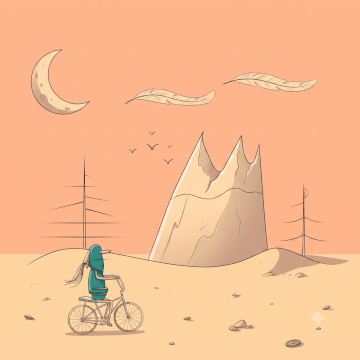
以前のポスト Stable Diffusion + ControlNet を試したのはもう3年程も前の話。 今回は SDXL (Stable Diffusion XL) で ControlNet を試した。その制作過程の備忘録です。
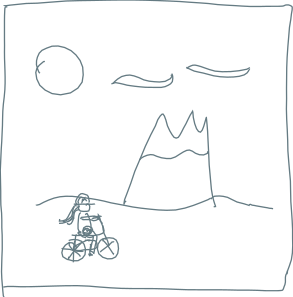
出発点の画像:
環境用意
Ubuntu 24.04 Server を使います。
python3 -m venv .venv
source  .venv/bin/activate
pip install torch --index-url https://download.pytorch.org/whl/cu121
pip install diffusers transformers accelerate safetensors
環境の確認:
$ python -c "import torch; print(torch.__version__, torch.cuda.is_available(), torch.cuda.get_device_name(0))"
2.5.1+cu121 True NVIDIA GeForce RTX 3060
モデルの入手
wget https://huggingface.co/stabilityai/stable-diffusion-xl-base-1.0/resolve/main/sd_xl_base_1.0.safetensors
ここでは ~/.local/models/sd_xl_base_1.0.safetensors にモデルを配置したとして話を進めます。
プロンプト
シンプルなイラストの画風を指定しました:
A minimalist landscape illustration,
simple line art, flat color, solid background,
vector art style,
limited color palette, clean curves, naive art,
2D flat design,
nostalgic and relaxed atmosphere,
high quality
生成コード
これは text to image のコードです。
import torch
from diffusers import StableDiffusionXLPipeline
from pathlib import Path

home_dir = Path.home()
model_path = str(home_dir) + "/.local/models/sd_xl_base_1.0.safetensors"

pipe = StableDiffusionXLPipeline.from_single_file(
    model_path,
    torch_dtype=torch.float16,
    use_safetensors=True,
    variant="fp16",
)
pipe = pipe.to("cuda")

prompt = "A minimalist landscape illustration, simple line art, flat color, solid background, vector art style, limited color palette, clean curves, naive art, 2D flat design, nostalgic and relaxed atmosphere, high quality"
negative_prompt = "blurry, low quality, distorted, watermark"

image = pipe(
    prompt=prompt,
    negative_prompt=negative_prompt,
    num_inference_steps=30,
    guidance_scale=7.0,
    width=1024, height=1024,
).images[0]

image.save("output.png")
実行結果:
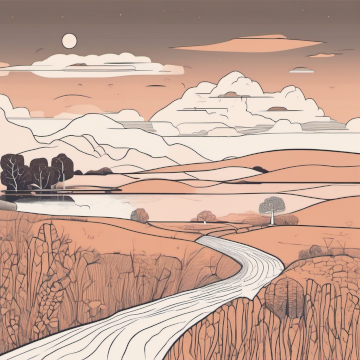
シード指定していないので実行のたびに別の絵ができるのかも(未確認)。 生成したい絵の雰囲気的にはこれでOK。
ControlNet を入れて線画から画像を生成
image + text to image にします。
入力にする画像は冒頭の線画画像を白黒反転させた次の画像 (input.png):
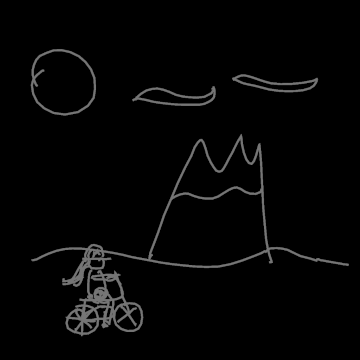
このコードで作成:
from PIL import Image, ImageOps

im = Image.open('source-input.png').convert('L') #.convert('RGB')
im.convert('RGB').resize((1024,1024)).save('input.png')
補足
- 今回使うコントロールネットのモデルは期待する入力画像が白黒反転したものらしい
- サイズを 1024x1024 にして書き出し。(入力するときにリサイズするのでこの段階でのリサイズは必須ではないのだが)
生成コード:
import torch
from pathlib import Path
from PIL import Image
from diffusers import (
    StableDiffusionXLControlNetPipeline,
    ControlNetModel,
    AutoencoderKL,
    EulerAncestralDiscreteScheduler,
)

home_dir = Path.home()
model_path = str(home_dir) + "/.local/models/sd_xl_base_1.0.safetensors"

ctrl = ControlNetModel.from_pretrained(
    "xinsir/controlnet-scribble-sdxl-1.0", torch_dtype=torch.float16
)

vae = AutoencoderKL.from_pretrained(
    "madebyollin/sdxl-vae-fp16-fix", torch_dtype=torch.float16
)

scheduler = EulerAncestralDiscreteScheduler.from_pretrained(
    "stabilityai/stable-diffusion-xl-base-1.0", subfolder="scheduler"
)

pipe = StableDiffusionXLControlNetPipeline.from_single_file(
    model_path,
    controlnet=ctrl,
    vae=vae,
    scheduler=scheduler,
    torch_dtype=torch.float16,
).to("cuda")

# RTX 3060 12GB に収まるようにするための対策
pipe.enable_vae_tiling()
pipe.enable_vae_slicing()


# 入力する線画画像 1024x1024
control_image = Image.open("input.png").convert("RGB").resize((1024, 1024))


prompt = "A minimalist landscape illustration, simple line art, flat color, solid background, vector art style, limited color palette, clean curves, naive art, 2D flat design, nostalgic and relaxed atmosphere, high quality"
negative_prompt = "blurry, low quality, distorted, watermark"

image = pipe(
    prompt=prompt,
    negative_prompt=negative_prompt,
    image=control_image,
    controlnet_conditioning_scale=0.8,   # 0.5〜1.0
    control_guidance_start=0.0,
    control_guidance_end=0.6,
    num_inference_steps=30,
    guidance_scale=7.0,                  # SDXLは7前後、下げると自然になる
    width=1024, height=1024,
).images[0]

image.save("output.png")
追加で何かライブラリを pip した可能性あり。
このコードを実行して生成された画像 (output.png):
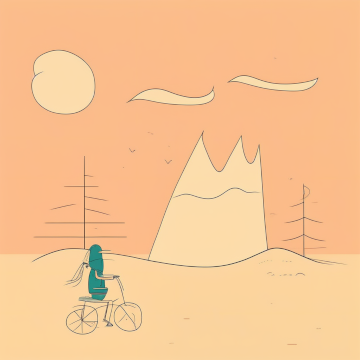
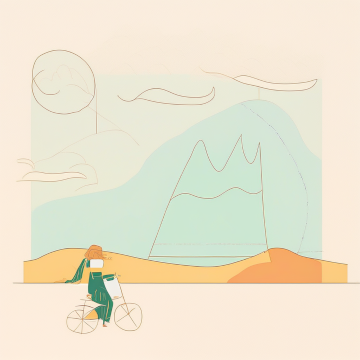
もちろん、ここに行き着く途上での試行錯誤(パラメーター調整など)ではこんな画像も:
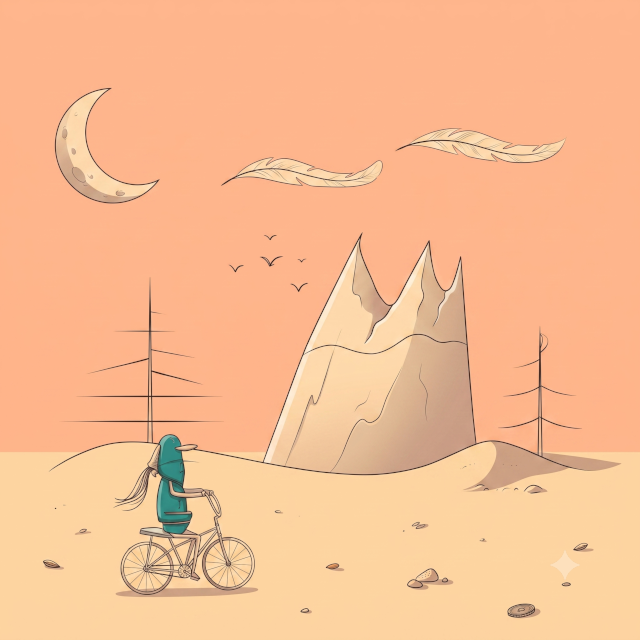
最終的にできた画像を今度は Gemini (Nano Banana 2) にアップロードして:
このイラストを refine してください
と言ってつくってもらったのが冒頭の絵です。 せっかくなので大きめのサイズの最終成果物をここに貼っておきます。