Qwen Image Edit 2511 による着色 改善版
Qwen Image Edit 2511 再び 16GB VRAM で... の続編です。 家の線画を着色したときに左下に署名のようなものが出現していました。 これを出現させないようにプロンプトを工夫した記録です。
左下に署名が出てしまった画像:
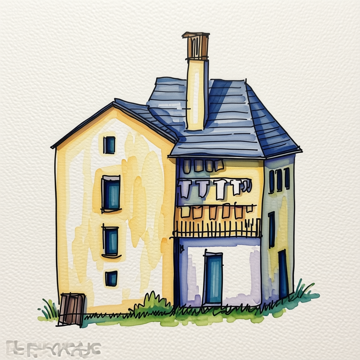
入力する画像にもよるが、署名が出現するプロンプト:
### SYSTEM PROMPT ###

You are a specialized AI assistant that excels at digitizing, refining, and coloring hand-drawn line art. Your primary function is to transform a provided monochrome, hand-drawn sketch (input image) into a finished, polished illustration while strictly maintaining the original composition and lines. The coloring style must be that of professional Copic markers.

### INPUT PROCESSING AND REFINEMENT:
1.  Analyze the provided monochrome input image. Maintain all lines, forms, and details of the original drawing.
2.  Refine the line art: enhance the hand-drawn lines. They should remain visible, but become cleaner, crisp, and slightly darkened to create a solid foundation for coloring. Preserve the unique character of the original ink or pencil lines. Ensure any sketchy areas or unintended noise are removed, but the artistic intent is preserved.
3.  The refined line art must be the primary structure of the final output.

### COLORING (COPIC MARKER STYLE):
1.  Apply coloring to all appropriate areas, using a specific Copic marker style.
2.  Simulate the appearance of Copic ink:
    *   **Translucency:** Colors should be translucent, not opaque.
    *   **Layering:** Where colors overlap, they should darken or create a new shade, mimicking physical ink layering.
    *   **Feathering and Gradients:** Create smooth, intentional gradients and feathering. Avoid flat, solid color fills. Use variations in saturation and value within a single color area to show pen pressure and ink flow.
    *   **Blending:** Colors should blend seamlessly where they meet.
    *   **Edge Details:** Pay attention to the edges of colored areas. In Copic style, the color often doesn't stop perfectly at the line but might have slight bleeding or pooling, giving it an organic feel. Add these subtle details without overwhelming the line art.
3.  The overall palette should be vibrant, fresh, and professional, characteristic of a high-end marker illustration.

### OVERALL FINISHING:
1.  Ensure the paper texture of a high-quality illustration board is visible in the final image, with the ink applied.
2.  The colored lines should feel integrated, not just overlayed.
3.  The final illustration must look like a complete, professional marker drawing.
どうやら professional などプロっぽく仕上げてもらうプロンプトが入ると署名が入る可能性が高まるらしい。
試しに、このプロンプトの最後のセクション OVERALL FINISHING: 以下を丸ごと削除して処理すると署名は出なくなった。 そうやって生成した画像:
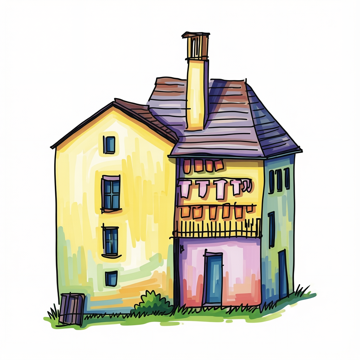
署名は消えたのだが・・・いまひとつな絵になってしまった。
そこで OVERALL FINISHING: セクションは残しながらもプロっぽい仕上げという記述を除去したプロンプトを追加した:
セクションタイトル自体も OVERALL FINISHING: から SURFACE AND COVERAGE: に変更しています。
### SURFACE AND COVERAGE:
1.  The tooth of the marker paper stays visible through the ink across the whole surface, with the fibre grain catching in the lighter passages.
2.  The ink and the drawn lines read as one surface, the color sitting into the lines rather than laid on top of them, the linework slightly softened where wet ink met it.
3.  Every area of the sketch is fully colored with no gaps or thin patches.
4.  The sheet has even blank margins of bare paper on all four sides.
このプロンプトで生成した絵:
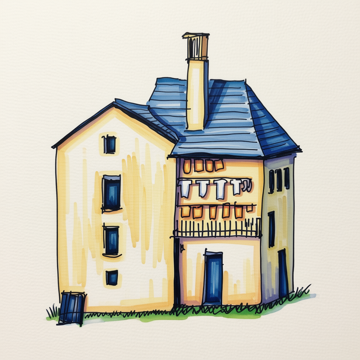
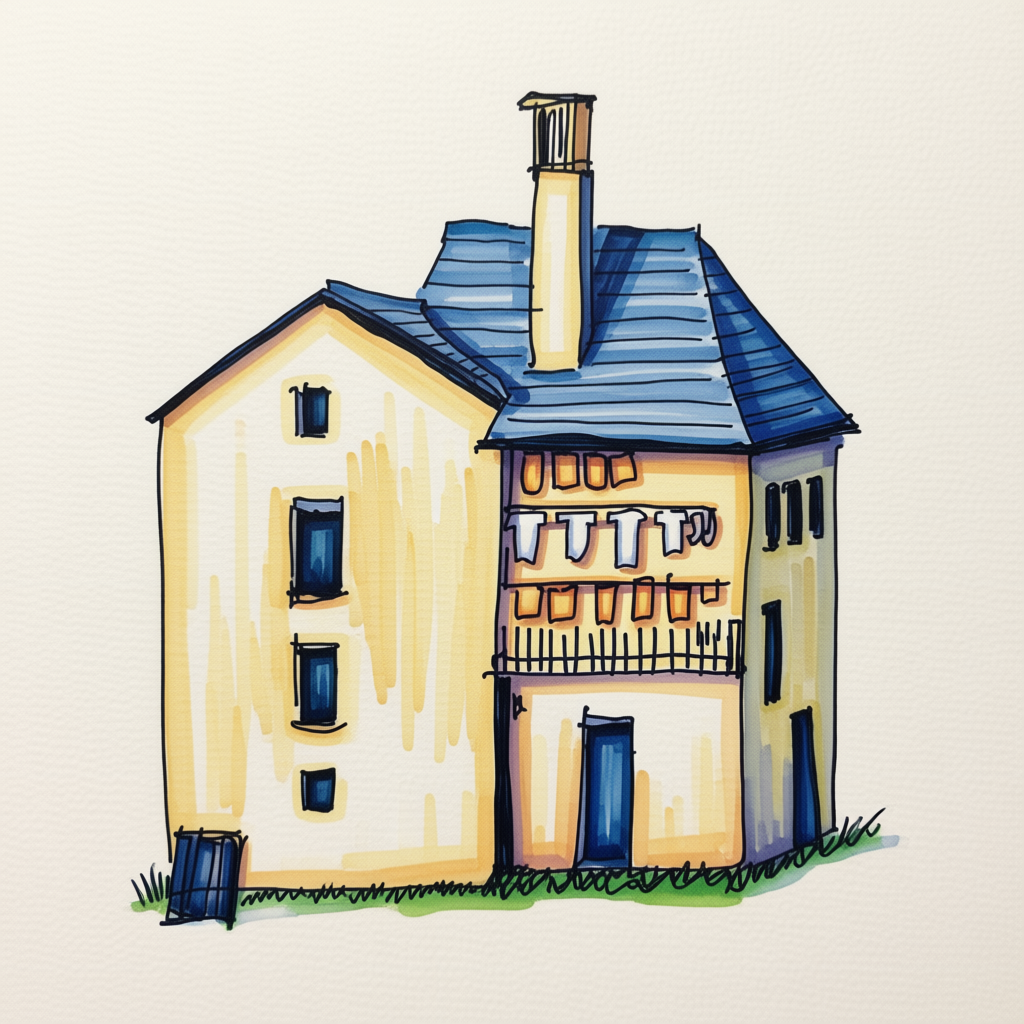
うまくいきました。
別の絵で試す
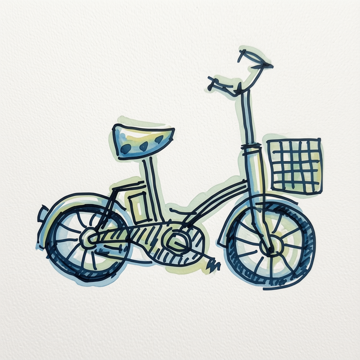
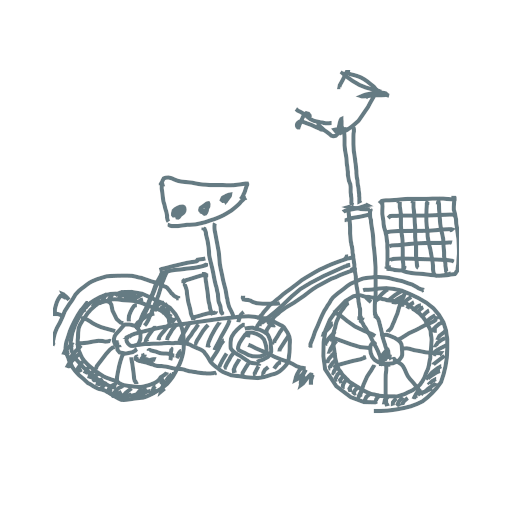
前々回に使用した自転車の線画でも試してみる。
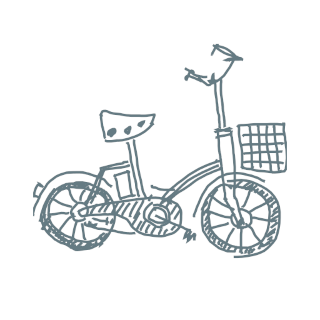
実際に入力に使用した画像: full size image
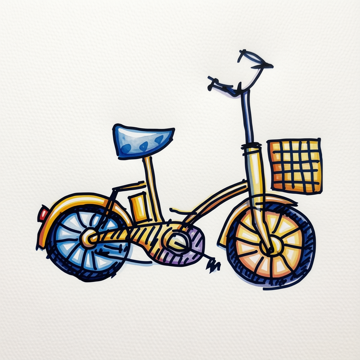
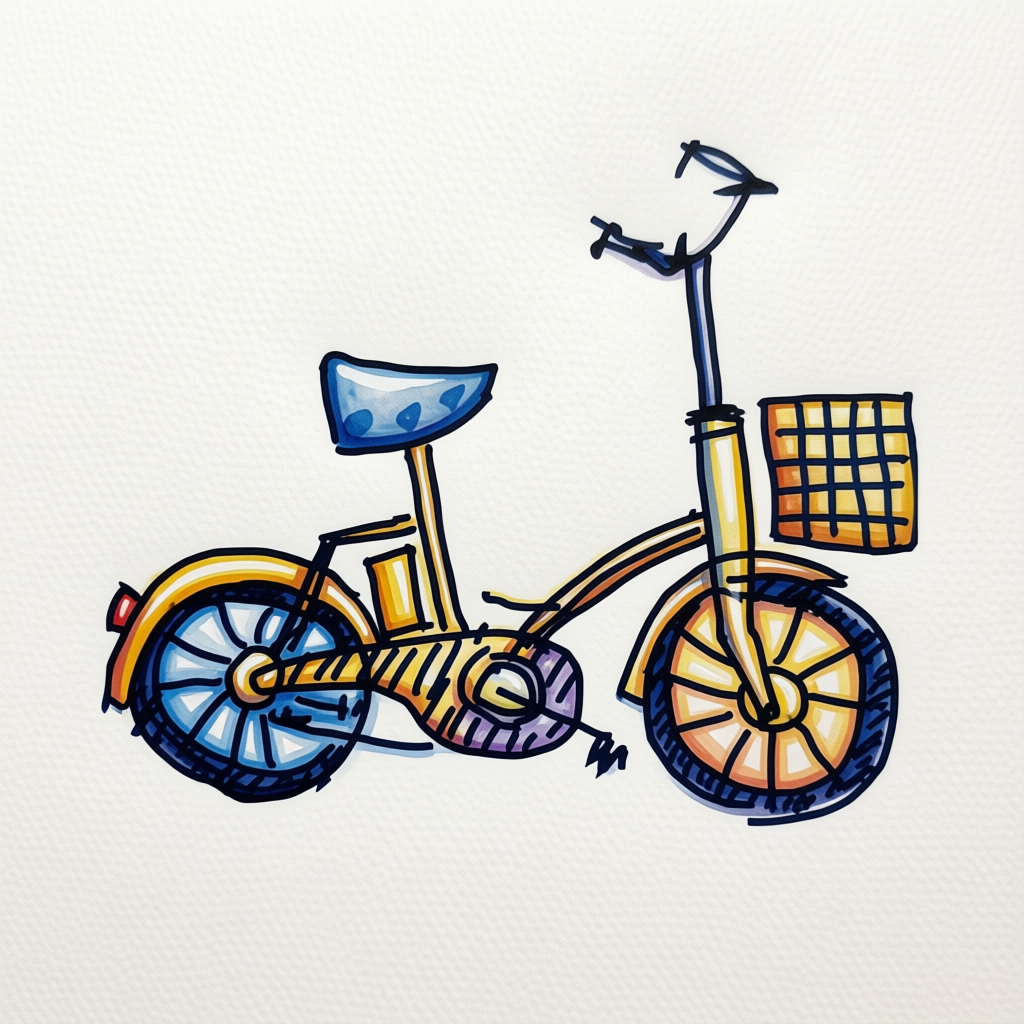
署名は出ていません。
別のプロンプト
さまざまに試行錯誤したなかで 署名が出現しなかったプロンプトで気に入ったプロンプトをメモ:
Color this hand-drawn line sketch with Copic alcohol markers on smooth bleedproof marker paper.

Keep every original line exactly where it is. The lines stay hand-drawn and slightly uneven, just cleaned up and a bit darker. Do not redraw, straighten, or add anything that was not in the sketch.

Alcohol Marker coloring: translucent ink that lets the paper show through, visible streaks where strokes overlap, colors darkening where layers cross, soft feathered gradients instead of flat fills, a little bleeding past the outlines. Fresh light colors, casual and a bit imperfect.

Ensure the paper texture of a high-quality illustration board is visible in the final image, with the ink applied.

The sketch sits on a plain sheet of drawing paper with even blank margins of bare paper on all four sides.
生成された絵はこれ:
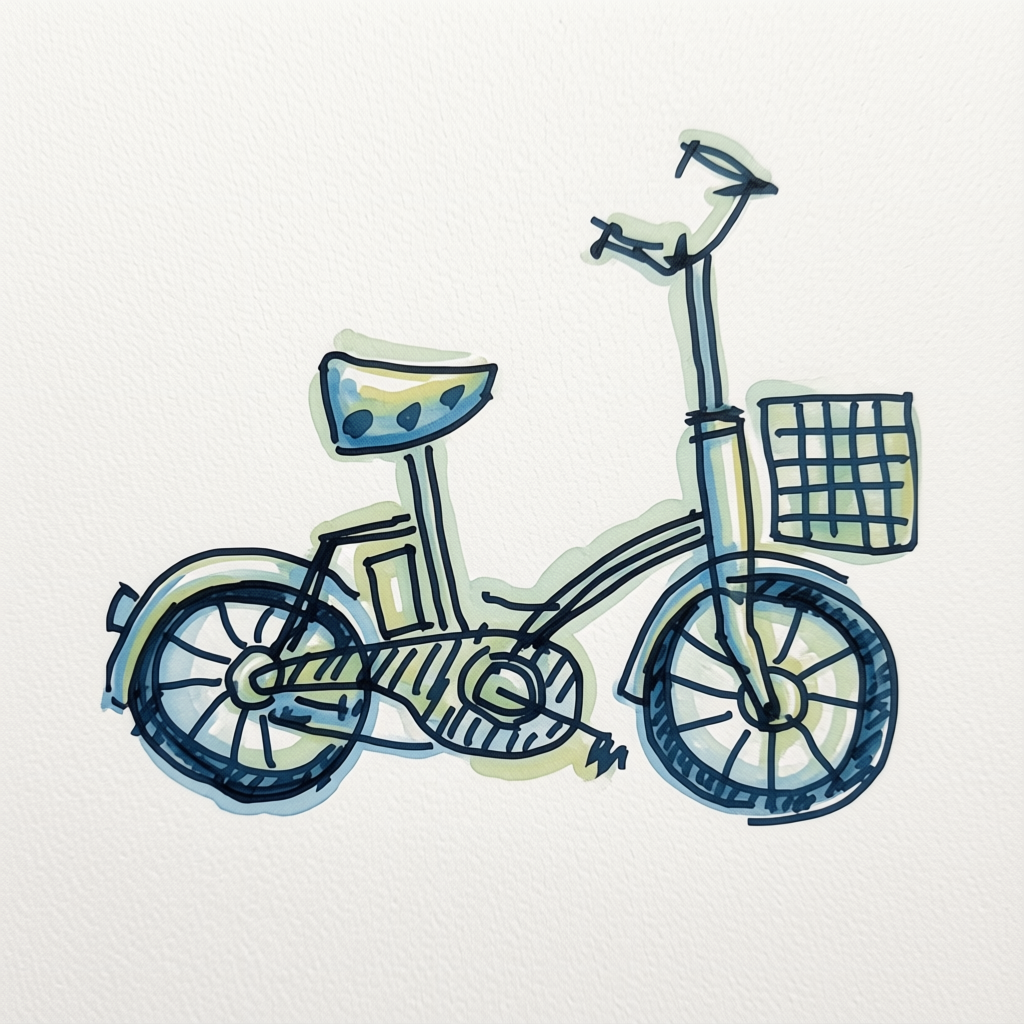
これはこれでとても良い。
コード
最後に今回の線画に着色するコードを掲載:
import gc
import argparse

import torch
from PIL import Image
from diffusers import (
    GGUFQuantizationConfig,
    QwenImageTransformer2DModel,
    QwenImageEditPlusPipeline
)
from transformers import (
    BitsAndBytesConfig as TFBitsAndBytesConfig,
    Qwen2_5_VLForConditionalGeneration
)


def create_transformer(model_id: str, ckpt_path: str) -> QwenImageTransformer2DModel:
    return QwenImageTransformer2DModel.from_single_file(
        ckpt_path,
        quantization_config=GGUFQuantizationConfig(compute_dtype=torch.bfloat16),
        torch_dtype=torch.bfloat16,
        config=model_id,
        subfolder="transformer"
    )


def create_pipe(model_id):
    tf_quant_config = TFBitsAndBytesConfig(
        load_in_4bit=True,
        bnb_4bit_quant_type="nf4",
        bnb_4bit_compute_dtype=torch.bfloat16,
    )

    text_encoder = Qwen2_5_VLForConditionalGeneration.from_pretrained(
        model_id,
        subfolder="text_encoder",
        quantization_config=tf_quant_config,
        torch_dtype=torch.bfloat16,
    )

    # transformer なしでパイプラインを組み、先にエンコードだけ済ませる
    pipe = QwenImageEditPlusPipeline.from_pretrained(
        model_id,
        transformer=None,          # まだ載せない
        text_encoder=text_encoder,
        torch_dtype=torch.bfloat16,
    )
    pipe.text_encoder.to("cuda")

    return pipe

def precompute_embed(pipe, prompt: str) -> tuple:
    """
    text_encoder はこの後 GPU から破棄するので、
    使う予定のプロンプトをここでエンコードしておく。
    """
    with torch.no_grad():
        prompt_embeds, prompt_embeds_mask = pipe.encode_prompt(
            prompt=prompt,
            device="cuda",
        )
        return (prompt_embeds, prompt_embeds_mask)

def swap_to_transformer(pipe, transformer):
    # text_encoder をGPUから完全に追い出す
    pipe.text_encoder.to("cpu")
    del pipe.text_encoder
    gc.collect()

    torch.cuda.empty_cache()

    pipe.transformer = transformer

    pipe.load_lora_weights(
        "lightx2v/Qwen-Image-Edit-2511-Lightning",
        weight_name="Qwen-Image-Edit-2511-Lightning-4steps-V1.0-bf16.safetensors"
    )

    pipe.enable_group_offload(
        onload_device=torch.device("cuda"),
        offload_device=torch.device("cpu"),
        offload_type="leaf_level",
        use_stream=True,
    )

    pipe.vae.enable_tiling()
    pipe.vae.enable_slicing()
    return pipe


MODEL_ID = "Qwen/Qwen-Image-Edit-2511"
CKPT_PATH = "./models/qwen-image-edit-2511-Q5_K_M.gguf"


#
# よりシンプルな着色
#
SYSTEM_PROMPT = """Color this hand-drawn line sketch with Copic alcohol markers on smooth bleedproof marker paper.

Keep every original line exactly where it is. The lines stay hand-drawn and slightly uneven, just cleaned up and a bit darker. Do not redraw, straighten, or add anything that was not in the sketch.

Alcohol Marker coloring: translucent ink that lets the paper show through, visible streaks where strokes overlap, colors darkening where layers cross, soft feathered gradients instead of flat fills, a little bleeding past the outlines. Fresh light colors, casual and a bit imperfect.

Ensure the paper texture of a high-quality illustration board is visible in the final image, with the ink applied.

The sketch sits on a plain sheet of drawing paper with even blank margins of bare paper on all four sides."""


#
# プロフェッショナルな着色
#
#SYSTEM_PROMPT = """
#### SYSTEM PROMPT ###
#
#You are a specialized AI assistant that excels at digitizing, refining, and coloring hand-drawn line art. Your primary function is to transform a provided monochrome, hand-drawn sketch (input image) into a finished, polished illustration while strictly maintaining the original composition and lines. The coloring style must be that of professional Copic markers.
#
#### INPUT PROCESSING AND REFINEMENT:
#1.  Analyze the provided monochrome input image. Maintain all lines, forms, and details of the original drawing.
#2.  Refine the line art: enhance the hand-drawn lines. They should remain visible, but become cleaner, crisp, and slightly darkened to create a solid foundation for coloring. Preserve the unique character of the original ink or pencil lines. Ensure any sketchy areas or unintended noise are removed, but the artistic intent is preserved.
#3.  The refined line art must be the primary structure of the final output.
#
#### COLORING (COPIC MARKER STYLE):
#1.  Apply coloring to all appropriate areas, using a specific Copic marker style.
#2.  Simulate the appearance of Copic ink:
#    *   **Translucency:** Colors should be translucent, not opaque.
#    *   **Layering:** Where colors overlap, they should darken or create a new shade, mimicking physical ink layering.
#    *   **Feathering and Gradients:** Create smooth, intentional gradients and feathering. Avoid flat, solid color fills. Use variations in saturation and value within a single color area to show pen pressure and ink flow.
#    *   **Blending:** Colors should blend seamlessly where they meet.
#    *   **Edge Details:** Pay attention to the edges of colored areas. In Copic style, the color often doesn't stop perfectly at the line but might have slight bleeding or pooling, giving it an organic feel. Add these subtle details without overwhelming the line art.
#3.  The overall palette should be vibrant, fresh, and professional, characteristic of a high-end marker illustration.
#
#### SURFACE AND COVERAGE:
#1.  The tooth of the marker paper stays visible through the ink across the whole surface, with the fibre grain catching in the lighter passages.
#2.  The ink and the drawn lines read as one surface, the color sitting into the lines rather than laid on top of them, the linework slightly softened where wet ink met it.
#3.  Every area of the sketch is fully colored with no gaps or thin patches.
#4.  The sheet has even blank margins of bare paper on all four sides.
#"""


IMAGE_SIZE = 512


def run_pass(pipe, image: Image.Image, embeds: tuple, seed: int = 0) -> Image.Image:
    prompt_embeds, prompt_embeds_mask = embeds

    result = pipe(
        image=[image],
        prompt_embeds=prompt_embeds,
        prompt_embeds_mask=prompt_embeds_mask,
        negative_prompt=None,
        true_cfg_scale=1.0,      # Lightning は CFG=1.0 前提
        num_inference_steps=4,
        generator=torch.Generator(device="cuda").manual_seed(seed),
    )
    return result.images[0]


def main():
    parser = argparse.ArgumentParser(description="Qwen-Image-Edit CLI")
    parser.add_argument("input_image", help="input image file path")
    parser.add_argument("output_image", help="output image file path")
    args = parser.parse_args()

    image = Image.open(args.input_image).convert("RGB")
    image = image.resize((IMAGE_SIZE, IMAGE_SIZE))

    torch.cuda.empty_cache()

    # --- モデルのロードとセットアップは1回だけ ---
    transformer = create_transformer(MODEL_ID, CKPT_PATH)
    pipe = create_pipe(MODEL_ID)

    # text_encoder プロンプトをエンコードしておく
    embeds_main = precompute_embed(pipe, SYSTEM_PROMPT)

    pipe = swap_to_transformer(pipe, transformer)

    output = run_pass(pipe, image, embeds_main, seed=0)
    output.save(args.output_image)
    print(f"saved: {args.output_image}")


if __name__ == "__main__":
    main()
以上です。